So, I recently received some Outlook/EXO questions. The first question is how to delegate access to a mailbox. The second question is how to leave messages unread in that mailbox after the person that has been delegated access reads that email. I am not an Office, EXO, or email expert, but here are the steps I found to accomplish this. If Office is your expertise and you have any feedback on these steps, please reach out to me on LinkedIn. My username on LinkedIn is chdelay.
Delegating Access
Steps for delegating access are here: 6 Steps to Delegate Office 365 Mailbox Access Permissions – Agile IT
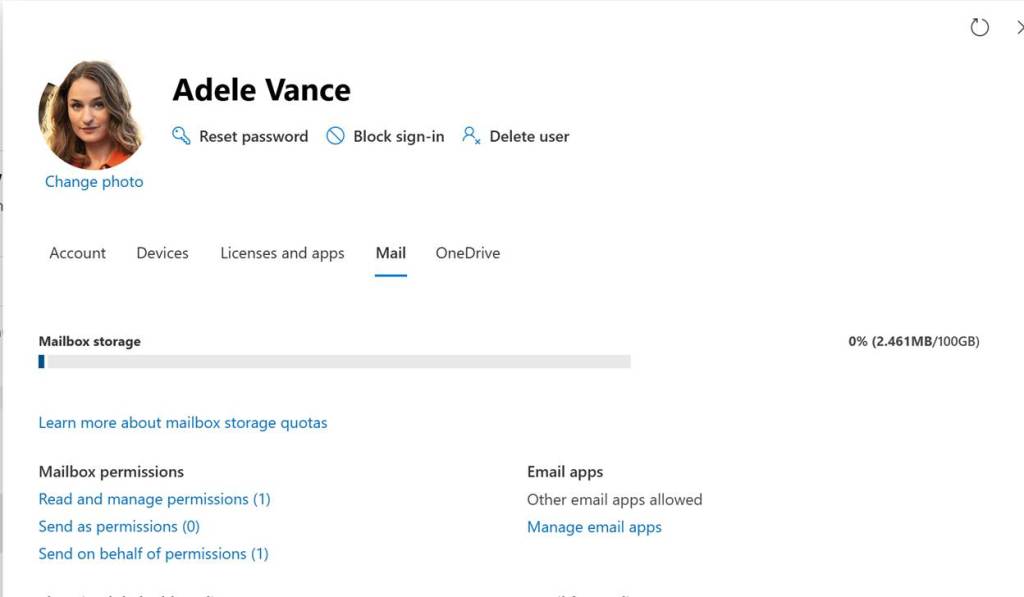
My steps were slightly different I am guessing due to changes in Office. In the Admin Portal I opened up the user properties and then selected Mail. Then I can configure Read and Manage, Send as, or Send on behalf permissions.
Leaving Emails Unread
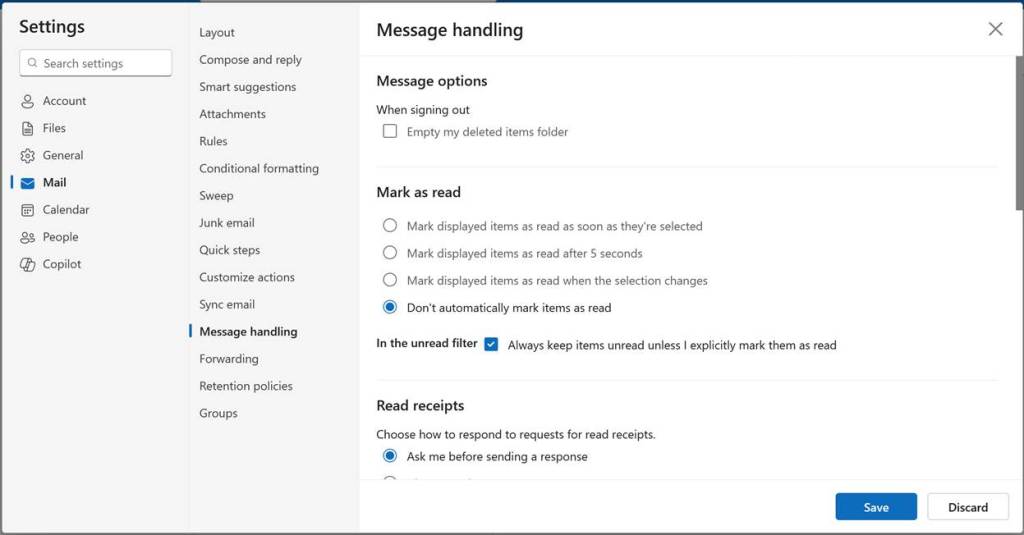
The only way I have found to accomplish this is to set up Outlook to not mark read emails as read. The problem is this is a global setting for the client, so it would affect the person’s own mailbox as well. So, the only way I currently can figure to do that is to use two clients. Maybe use the Outlook standalone client for one’s own email and have that configured to mark emails as read and then use the Outlook web client for accessing the delegated mailbox and configure that one to leave emails as unread. Here is the associated setting in the Outlook web client:
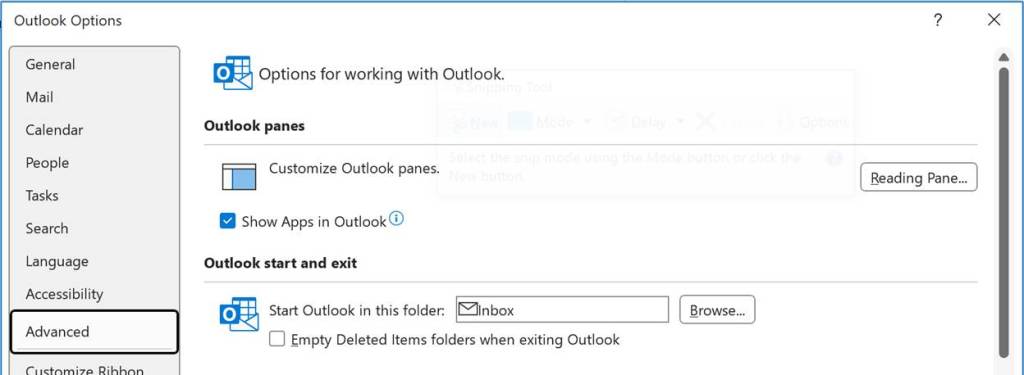
If using the Outlook client, go to File then Options. Then click Advanced. Then click on Reading Pane…
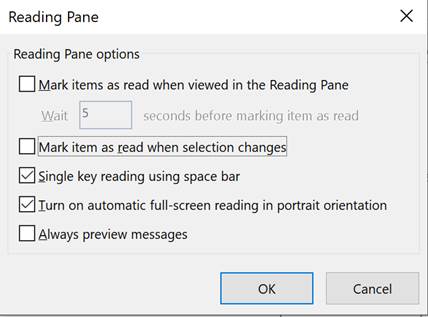
Then uncheck Mark item as read when selection changes
Then click OK
Sending Messages
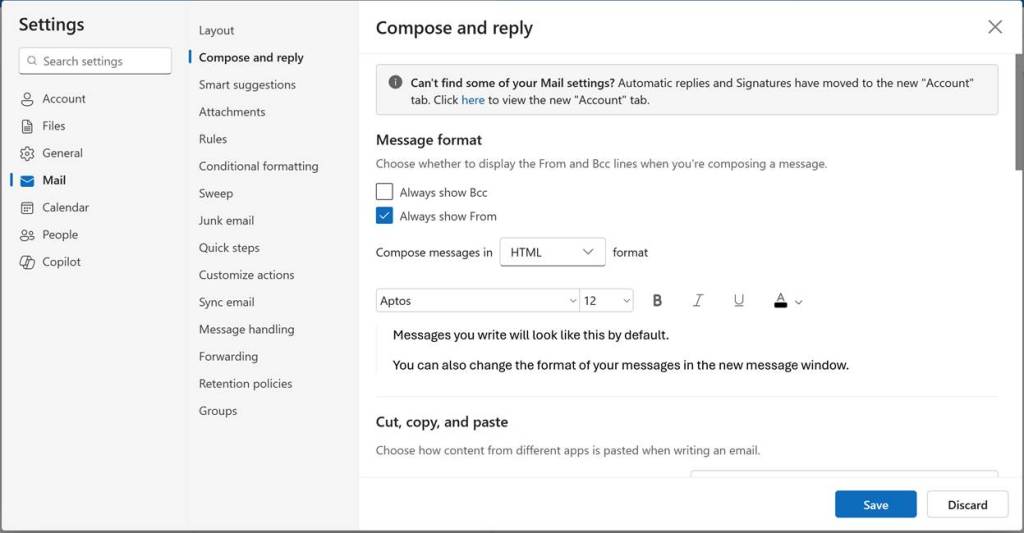
If you want to send emails from the delegated mailbox you will need to display the From field when composing emails. Below is a screenshot on how to add this in the Outlook web client.
If using the full Outlook client the steps would be (no screenshot) to open a new email. Then go to Options and then under Show Fields select From.
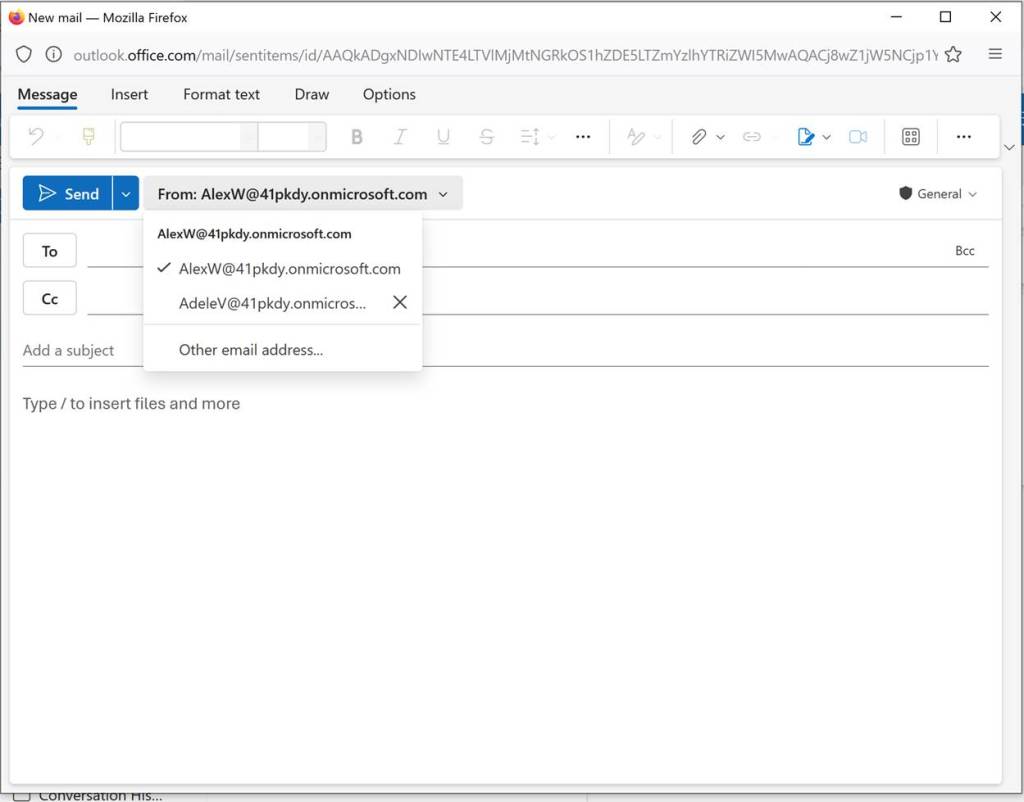
Then when composing an email you can select your own mailbox or the mailbox you have been delegated access to.
-Chris
 chdelay.blog